
Bose
Bose CorporationMusic & Audio
3.418.35K Reviews
- Version
- Varies With Device
- Installs
- 10.00M
- Age Rating
- Everyone
Screenshots
Our Review of Bose
 Analysis by Appyee
I see Bose’s control app as a useful companion rather than a music player that can replace everything else on your phone. Its value is in bringing compatible Bose products and listening controls together, so you spend less time searching for settings and more time using the audio gear you already own. That makes it an easy recommendation for people who are building a Bose setup, but a poor reason on its own to choose Bose hardware.
Getting set up and making it useful
In my experience, the best way to approach the app is to think of it as a control panel for your Bose listening setup. Bose Corporation makes this free Music & Audio app, which is rated for Everyone, and its central purpose is practical: help you manage supported Bose products from a phone. It has an average rating of 4.3 from around 160,000 ratings, with more than 10 million installs. That level of uptake suggests it serves a broad audience, though the right fit still depends on which Bose products you own.
Before installing, I’d check that the exact product you plan to use is supported by the app. A brand name alone is not enough to assume every Bose device works here, especially if you have older equipment or a mix of product generations. Once you know your device belongs in this ecosystem, the app makes more sense: it is meant to help you access controls in one place, not to turn unrelated speakers into a shared system.
First Impressions and Setup
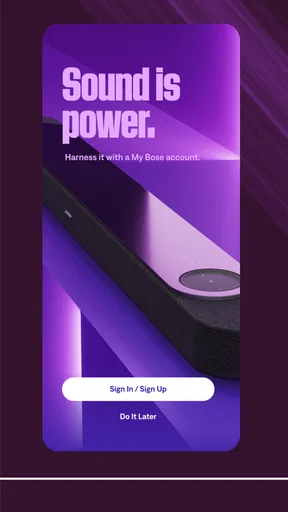
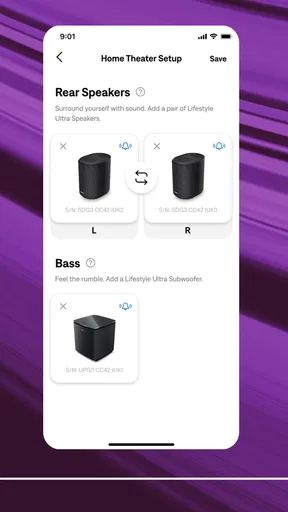
Setting up the Bose Music App was a breeze. After downloading it from the App Store, I was greeted with a clean and modern interface that just screams simplicity. You know that feeling when you open an app and everything just makes sense? That's exactly what I experienced. Connecting my Bose speakers was as easy as pie, and the app guided me through the process with clear, step-by-step instructions.
For a smoother first setup, I’d keep the phone near the product and make sure I can follow the device’s prompts without rushing. If setup stalls, I’d first check that I selected the intended Bose product and that the phone and device are ready to communicate, rather than repeatedly starting the process from scratch. This is a small but useful distinction: the app can guide a connection, but the phone is still a remote control, and it needs to be in a position to reach the hardware.
Features That Stand Out
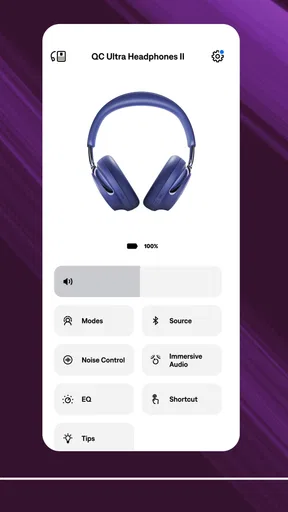
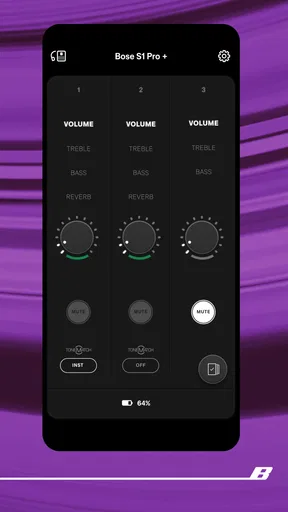
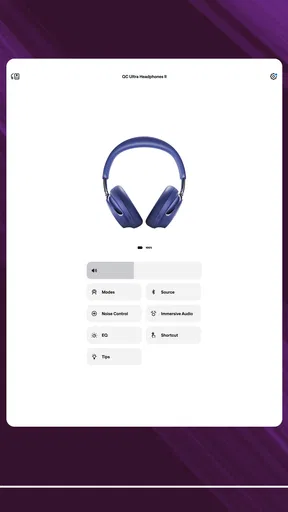
The app offers a bunch of cool features that audiophiles will appreciate. One of my favorites is the custom equalizer. You can tweak the sound to your liking, whether you're in the mood for some thumping bass or crisp highs. The app also supports multiple Bose products, so if you're like me and have a small Bose ecosystem at home, you can control everything from one place.
I find an equalizer most useful when I adjust it with a specific room and listening habit in mind, rather than chasing a preset idea of “better” sound. A bass-heavy setting might suit a quiet evening, but it can make spoken audio less clear; pulling back low frequencies can help when voices are the focus. I’d change one part of the sound at a time and listen for a while before making another adjustment. That makes it easier to tell whether a tweak actually helps.
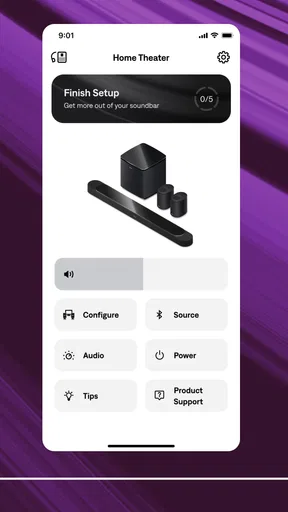
Multiple products are most valuable when they have different jobs. For example, I might want one Bose device for focused listening and another for casual background audio. A single control app makes those devices easier to manage, but I would not assume that having several products automatically makes them behave as one. The practical benefit is centralised control; the actual listening arrangement depends on the devices and the options they support.
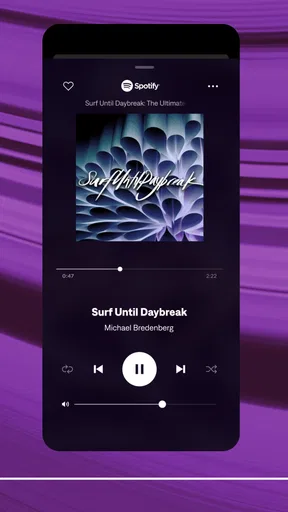
Another nifty feature is the music services integration. With Spotify, Pandora, and Amazon Music all in one app, it's like having a jukebox at your fingertips. No need to jump between apps—just pick your tunes and let the party begin.
For everyday use, keeping music-service access in the app is handy if I already use one of the services mentioned. It can reduce the small friction of switching between a streaming app and a device-control app. I’d still keep the service’s own app available for browsing, managing a library, or using its features directly; an integrated route is convenient, not necessarily a full replacement for each service’s own interface.
Everyday Use and Performance
Using the app daily has been pretty smooth sailing. I love how it remembers my previous settings, so I don't have to fiddle around every time I connect. The app updates regularly, ensuring you always have the latest features and improvements—something I truly appreciate.
A realistic use for me is getting home, choosing music through a familiar service, and making a quick sound adjustment for the room or the time of day. If I’m listening while cooking, I’d rather make a small control change from the phone than interrupt what I’m doing to work through menus on the audio product. Later, when I settle down to listen more closely, I can revisit the sound settings instead of treating one adjustment as right for every situation.
There is a trade-off to this convenience: the app is most worthwhile when I use compatible Bose products regularly. If I mainly listen through headphones from several brands, a general music app and each product’s own controls may be simpler. Likewise, someone who wants a broad streaming catalogue or advanced playlist tools should choose a dedicated music service as their main listening app. Bose’s app makes the hardware easier to manage; it is not a universal alternative to those tools.
The performance is rock solid. The app never crashed on me, and the connection between my phone and speakers remained stable, even when I wandered around my apartment. It's like the app knows exactly what I'm doing and assists me without a hitch.
In practice, I’d separate app responsiveness from the quality of the wireless connection itself. If a device disappears or a control takes longer than expected, checking the phone’s connection and the audio product’s status is more useful than assuming the app has lost all of its settings. For a household with more than one Bose product, I’d also give each device a clear name if the app offers that option; it can prevent the everyday annoyance of adjusting the wrong speaker when moving quickly between rooms.
Who will get the most from it
This is a sensible choice for someone who already owns supported Bose gear and wants a straightforward place to handle everyday controls. It is especially useful if you switch between products at home, adjust sound to suit different kinds of listening, or prefer to start music without moving between several screens. A person buying a first Bose device can also benefit, provided the particular product works with this app.
I would skip it if I do not own compatible Bose hardware, or if my main goal is to organise music across a mix of brands. In that case, a general streaming app is the more natural centre of the experience, and a multi-brand smart-home or audio platform may be a better fit if its compatibility matches my equipment. The key question is not whether the app sounds appealing in isolation, but whether it supports the devices I actually use.
Compared with the usual alternatives, Bose’s app has a narrower role than Spotify, Pandora, or Amazon Music on their own: those services are built around finding and playing music, while this app’s advantage is controlling Bose products and bringing some listening choices into that workflow. Compared with using a device’s physical controls alone, it can make sound adjustments and product management more convenient from the phone. If I value portability across brands more than Bose-specific control, I would choose a broader option instead.
Wrapping It Up
Overall, the Bose Music App is a fantastic companion for anyone with Bose audio products. It's user-friendly, packed with features, and performs like a champ. If you're keen on elevating your music experience, give it a whirl. You might just find yourself falling in love with your music all over again. So, what are you waiting for? Dive in and let your ears thank you later!
A grounded verdict
My recommendation is simple: install it when it supports Bose equipment you already rely on, and judge it by how much easier it makes ordinary listening. It is a focused controller with some useful music access, not a reason by itself to switch streaming services or buy into a new audio ecosystem. Released in 2018, it has had time to become a familiar part of Bose’s software offering; I’d still check that it fits the exact product and habits I have today.
For the right owner, the appeal is not a dramatic transformation but fewer small interruptions: adjusting sound from the phone, reaching a Bose product without hunting through separate controls, and keeping the listening routine in one place. For everyone else, a service they already use or a control app that supports their mixed-brand setup will probably be the more sensible choice. That distinction is why I’d recommend it selectively rather than to every music listener.
Privacy and Permissions
See what permissions an app requests and how it handles your data.
- Location
- approximate location (network-based), precise location (GPS and network-based)
- Photos/Media/Files
- read the contents of your USB storage, modify or delete the contents of your USB storage
- Storage
- read the contents of your USB storage, modify or delete the contents of your USB storage
- Microphone
- record audio
- Wi-Fi connection information
- view Wi-Fi connections
- Other
- view network connections, pair with Bluetooth devices, access Bluetooth settings, allow Wi-Fi Multicast reception, connect and disconnect from Wi-Fi, full network access, run at startup, control vibration, prevent device from sleeping
Verdict
Strengths of Bose
- User-friendly interface and easy navigation.
- High-quality sound customization options.
- Seamless Bluetooth connectivity.
- Long battery life for extended use.
- Robust noise cancellation features.
Limitations of Bose
- Limited compatibility with some devices.
- Occasional app connectivity issues.
- Requires firmware updates frequently.
- Some features locked behind paywall.
- Lacks advanced EQ customization.
Other Releases by Bose Corporation
View All
Bose Connect
Music & Audio4.2

Bose QC Earbuds
Music & Audio4.7
Similar Picks in This Category
View All
YouTube Music
Google LLC4.4

Samsung Music
Samsung Electronics Co., Ltd.3.8

Spotify: Music and Podcasts
Spotify AB4.3

JioSaavn - Music & Podcasts
Saavn Media Limited4.3

Lark Player:Music Player & MP3
Lark Player Studio - Music, MP3 & Video Player4.6

StarMaker: Sing Karaoke Songs
SKYWORK AI PTE. LTD.4.3
Frequently Asked Questions
What features does the Bose app offer?
The Bose app provides an intuitive interface for managing your Bose devices. It offers features such as customizable sound settings, firmware updates, and access to music streaming services. Users can also manage multiple Bose devices, ensuring seamless integration across different audio systems for a personalized listening experience.
Is the Bose app compatible with all Bose devices?
The Bose app is compatible with a wide range of Bose products, including headphones, speakers, and soundbars. However, it is always recommended to check the specific compatibility details on the Bose website or app store listing to ensure your device is supported before downloading the app.
How does the Bose app improve sound quality?
The Bose app enhances sound quality by allowing users to customize audio settings through an equalizer and other sound adjustments. It ensures that users can tailor their listening experience to personal preferences, optimizing sound output for different genres of music and environments.
Are there any subscription fees for using the Bose app?
The Bose app itself is free to download and use. However, some features, like certain music streaming services integrated within the app, may require separate subscriptions. Users should review each service's terms and conditions for more details on any additional costs involved.
How user-friendly is the Bose app for beginners?
The Bose app is designed with a user-friendly interface, making it easy for beginners to navigate. It offers clear instructions and intuitive controls, which guide users through setup and customization processes. This simplicity ensures even those new to Bose products can maximize their audio experience effortlessly.
